The Best WordPress CRM Plugin in 2026 (And Why You Don't Need HubSpot)
Every article about CRM software starts the same way: here are the top 10 options, each costing between $50 and $1,200 per month, requiring dedicated onboarding, and living entirely outside the tool you already use to run your website.
This article is different. Because if you run a WordPress site, you might not need any of those tools.
Here's the honest truth about CRM software for small businesses and agencies in 2026: most of you are paying for complexity you don't need.
What Most Small Businesses Actually Need from a CRM
Before evaluating any CRM, it helps to define what you're actually trying to accomplish. For most small businesses and agencies, the requirements are surprisingly simple:
Capture leads from the website contact form automatically
See all leads in one place without digging through email
Know the status of each lead (new, in progress, won, lost)
Follow up before leads go cold
Assign leads to team members if working with others
That's it. That's 90% of what most small businesses need a CRM to do.
Now compare that to what HubSpot, Salesforce, or Pipedrive actually offer: AI-powered forecasting, multi-touch attribution, sequence automation, revenue intelligence, territory management, CPQ tools...
This is not a criticism of those platforms. For enterprise sales teams managing thousands of leads across dozens of reps, that complexity is justified. For a 3-person agency managing 30 leads a month, it's massive overkill — and you're paying for every feature you don't use.
The Hidden Cost of External CRM Software
The price on the pricing page is never the full cost. Here's what actually goes into running an external CRM:
Subscription fees: HubSpot's Sales Hub starts at \(15/user/month on the Starter plan, but the features most businesses need (deal pipelines, multiple pipelines, call tracking) require Professional at \)90/user/month — $1,080/year per user.
Integration maintenance: Connecting your WordPress forms to HubSpot requires either the HubSpot WordPress plugin, Zapier, or a native integration. These integrations break when plugins update, when APIs change, and when WordPress core updates. Someone has to fix them.
Data migration: Every lead that came through your website before you set up the CRM doesn't exist in it. Historical data lives in email threads and spreadsheets — not in your CRM.
Training: A new team member needs to learn two systems: WordPress (for the website) and the CRM (for leads). That's two logins, two interfaces, two sets of processes.
Context switching: Every time a lead comes in, someone has to switch from WordPress to the CRM to log it or update it. Small friction compounds over hundreds of leads.
Why WordPress Is the Right Place for Your CRM
Your website is where leads come from. Your WordPress dashboard is where you manage your website. It's the most logical place to also manage the leads your website generates.
This isn't a novel idea — it's how the most efficient small business setups work. Keep the stack simple. Keep the data where it's generated. Eliminate the round-trip from WordPress to an external tool and back.
A CRM built inside WordPress means:
One login for everything
Leads captured automatically with zero manual entry
No integration to maintain
Your data stays on your own server
Team members who already know WordPress don't need to learn a new tool
Introducing LeadPress: The WordPress-Native CRM
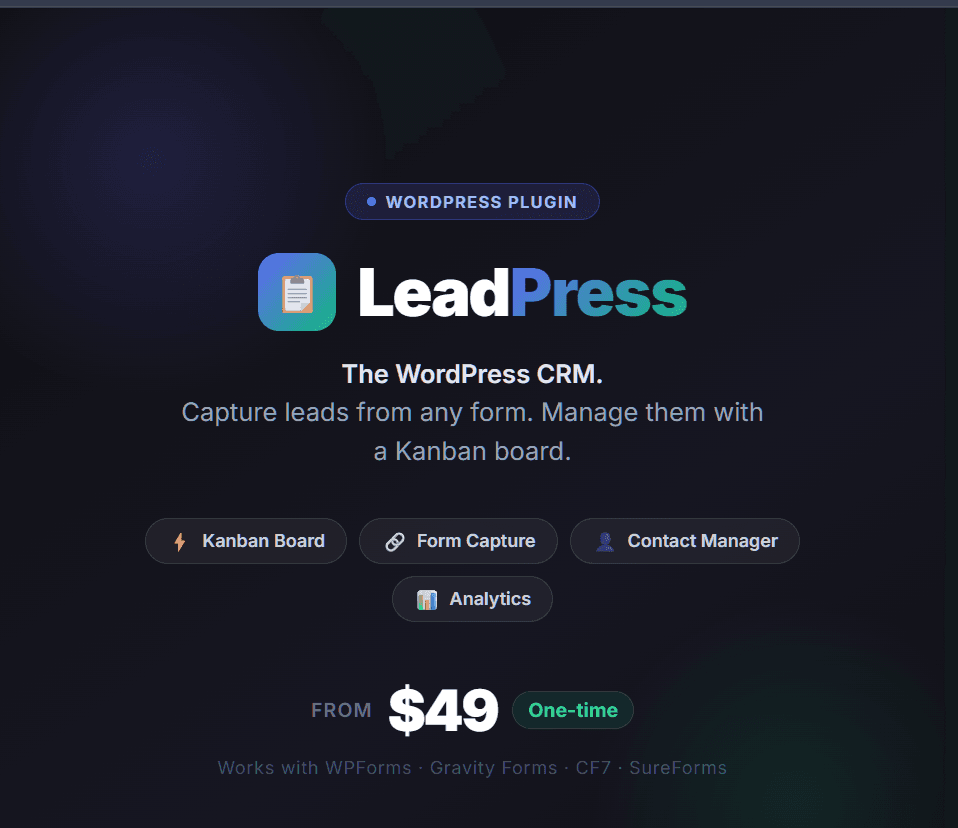
LeadPress is a WordPress CRM plugin built specifically for this use case. It installs like any other plugin, adds a CRM section to your WordPress dashboard, and immediately starts capturing leads from your forms.
It works with every major WordPress form plugin:
WPForms — the most popular drag-and-drop form builder
Gravity Forms — the most powerful form builder for complex workflows
Contact Form 7 — the most widely installed form plugin in the world
SureForms — the new generation block-editor native form builder
Enable each integration individually from Settings. Only the form plugins you're actually using get activated.
Core Features: What LeadPress Does
Kanban Board
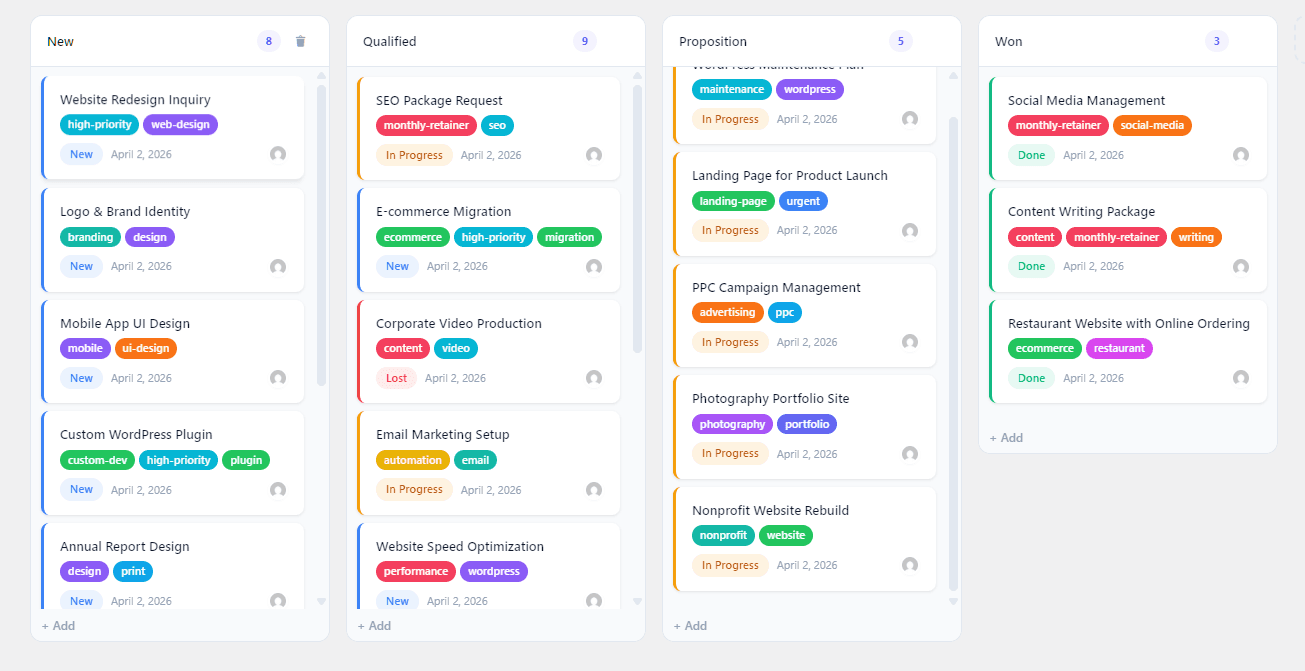
A drag-and-drop pipeline board where every lead is a card. Create unlimited custom stages that match your real sales process. Move leads between stages with a single drag. See your entire pipeline at a glance — no clicks required to understand where everything stands.
Automatic Lead Capture
Every form submission from your connected form plugins automatically creates a lead. Name, email, phone, and message are mapped intelligently from form fields — no manual configuration needed. The lead appears on your board within seconds of submission.
Contact Management
Each lead is linked to a contact record. The same person submitting multiple forms over time builds a single contact history — all their interactions in one place, automatically deduplicated.
Lead Statuses
Beyond pipeline stages, every lead has a status: New, In Progress, Done, Lost, or Invalid/Spam. Filter your board by status to focus on what needs attention.
Activity Log
Every action on every lead is recorded: when it was created, every stage change, every note added, every status update. A complete audit trail without any extra work.
Team Assignment
Assign leads to specific team members. Set auto-assignment rules per stage so incoming leads route to the right person automatically.
Analytics Dashboard
See lead volume over time, conversion rates by stage, and top lead sources. Understand which forms are generating the most leads and where in the pipeline you're losing people.
CSV Import / Export
Import historical leads from a spreadsheet. Export your pipeline for reporting, backup, or migration. Full data portability — your leads are yours.
LeadPress vs. HubSpot: Honest Comparison
| Feature | LeadPress | HubSpot Starter |
|---|---|---|
| Price | $49 one-time | $180/year (1 user) |
| Lives inside WordPress | Yes | No |
| Automatic form capture | Yes (native) | Via integration/plugin |
| Kanban pipeline | Yes | Yes |
| Contact management | Yes | Yes |
| Email sequences | No | Yes (Professional+) |
| AI forecasting | No | Yes (Enterprise) |
| Data on your server | Yes | No (HubSpot's servers) |
| Setup time | ~2 minutes | Hours to days |
If you need email sequences, AI forecasting, and enterprise territory management — use HubSpot. It's built for that.
If you need to capture leads from your WordPress forms, see them on a pipeline, and follow up before they go cold — LeadPress does everything you need at a fraction of the cost.
Who LeadPress Is For
Small business owners who want a simple system for managing inquiries without the overhead of enterprise CRM software.
Freelancers who need to look professional and never miss a follow-up — without paying $90/month for the privilege.
Marketing agencies managing their own leads or building WordPress sites for clients who need basic CRM functionality.
WordPress developers looking for a clean CRM solution to offer as part of a client site package.
Pricing: One-Time, No Subscriptions
LeadPress is a one-time purchase. You pay once and own it — no renewal fees, no monthly subscriptions, no "your data is held hostage until you pay" situations.
Starter — $49 — 1 site — all features included
Business — $99 — 5 sites — priority support
Agency — $199 — unlimited sites — white-label ready
All plans include lifetime updates. 14-day money-back guarantee.
The Bottom Line
The best CRM for a small WordPress business isn't the one with the most features. It's the one you'll actually use — because it's simple, it's where you already work, and it doesn't cost more per month than a client retainer.
LeadPress is that CRM.